Have you ever opened a copied conversation, chat transcript, or digital message and noticed the unusual word “audiodisplayed”? At first glance, it may look like a new internet abbreviation, a technical error, or a notification telling you that someone has listened to your voice message. However, its meaning is not quite that simple.
The audiodisplayed meaning is generally connected to audio content being represented, shown, or identified within a digital interface. In some transcript-style formats, a label such as may indicate that an audio item appeared at a particular point in a conversation. The original recording may not be included in the text itself.
This distinction is important because seeing an audio marker does not necessarily mean someone played, heard, or understood the recording. It may simply identify where audio content belongs in a conversation or document.
People often search for what does audiodisplayed mean in text because the term looks unfamiliar and does not follow ordinary texting conventions. Unlike popular abbreviations such as LOL, BRB, and IDK, it does not have a widely established slang definition.
In this article, you will learn what audiodisplayed means, how it may appear in chat transcripts, what it means in technical contexts, and how it differs from audio playback and voice messages. We will also explain common misunderstandings and answer frequently asked questions.
What Does Audiodisplayed Mean?
Audiodisplayed generally refers to audio-related content being shown or represented within a digital environment. The term combines two ordinary English words: audio and displayed.
Here is what each part means:
- Audio: Sound-related content, including speech, music, recordings, voice messages, and other audible material.
- Displayed: Something that is shown, presented, or made visible on a screen.
Together, these words suggest that an audio element has been presented in an application, transcript, or digital interface.
For example, imagine that someone sends a voice message in a conversation. When the conversation is converted into a text-only format, the actual recording might not appear as a playable audio file. Instead, a system-generated label may identify the location where the audio message occurred.
A similar situation can happen when software processes multimedia conversations. The program may use a text marker to represent an audio element without reproducing the original sound.
However, the exact meaning depends on the source. Audiodisplayed is not a universally standardized English word, so you should not assume that every application uses it in the same way.
Simple definition: Audiodisplayed is a technical-looking expression that generally indicates audio content has been shown or represented in a digital environment.
What Is Audiodisplayed in a Chat or Message?
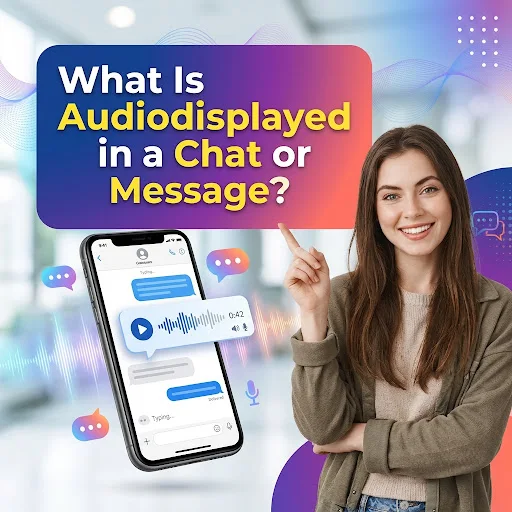
One possible context in which people encounter audiodisplayed is a copied conversation or text-based transcript.
Ordinary chat applications support different types of messages. These may include written text, photographs, videos, documents, voice notes, and audio recordings.
When a conversation is exported or converted into plain text, not every type of content can be displayed in its original format. A photograph may appear as an attachment reference, while an audio recording may be represented by a placeholder.
For example:
Alex: I recorded something for you.
Alex: <<AudioDisplayed>>
Sam: Thanks! I’ll listen to it later.
In this example, the marker identifies an audio-related item in the conversation. It does not contain the actual recording or reveal the spoken words.
Think of it as a label showing where something belongs in a document.
There are several important details to understand:
- The marker may identify an audio item.
- It does not necessarily contain the original sound.
- It does not automatically provide a written transcript.
- It does not reveal the length or complete contents of the recording.
- It does not independently confirm whether anyone listened to it.
This is why the audiodisplayed meaning in text messages should be interpreted according to the format and source of the conversation.
What Does <<AudioDisplayed>> Mean?
The expression <<AudioDisplayed>> looks different from an ordinary written message because it uses angle brackets and combines two words into a single label.
In a transcript or text-based representation, this format may function as a placeholder for an audio element.
A placeholder is a piece of text that represents something else. It does not necessarily contain the original content.
For example, consider these common situations:
| Placeholder or label | What it may represent |
| [Image] | A photograph or image attachment |
| [Video] | A video attachment |
| [Audio] | An audio recording or sound file |
| <<AudioDisplayed>> | An audio-related item represented in a transcript |
| [Document] | A document attachment |
These examples illustrate how text-based systems can represent different types of multimedia content.
Imagine receiving a conversation containing five written messages and two voice recordings. When the conversation is converted into a plain-text document, the written messages may remain readable while the audio recordings are represented by markers.
The markers preserve some information about the conversation’s structure, even though the actual recordings may be stored separately.
It is important to remember that <<AudioDisplayed>> is not a universal format used by every messaging application. Its exact meaning should be checked against the software or tool that produced the transcript.
Is Audiodisplayed a Real English Word?
Audiodisplayed is not a commonly established word in standard everyday English.
You will generally find the individual words audio and displayed used separately in ordinary writing.
For example:
- The audio was displayed on the screen.
- The application displayed an audio player.
- An audio recording appeared in the conversation.
- The website displayed sound controls.
These sentences are more natural than using audiodisplayed as a regular English noun or verb.
However, software developers frequently combine words when creating technical labels, filenames, variables, and internal identifiers.
You may encounter different formats, including:
| Format | Possible explanation |
| audiodisplayed | Combined lowercase label |
| AudioDisplayed | Capitalized technical identifier |
| audioDisplayed | CamelCase identifier |
| audio_displayed | Snake_case identifier |
| audio-displayed | Hyphenated expression |
| <<AudioDisplayed>> | Transcript-style placeholder |
These formats look similar, but they do not necessarily have identical meanings.
For instance, a developer could create a variable named audioDisplayed to record whether an audio component has appeared on a screen. Another program might use a similar name for a different purpose.
Therefore, the spelling alone cannot establish what a particular system does.
In normal writing, use “audio displayed” or “the audio was displayed” unless you are reproducing an exact technical label.
Audiodisplayed Meaning in Texting
When people search for audiodisplayed meaning in texting, they often expect to find a hidden abbreviation or a popular expression used by younger internet users.
However, audiodisplayed is different from ordinary texting slang.
Popular abbreviations shorten familiar expressions to make online communication faster.
For example:
| Abbreviation | Full meaning |
| LOL | Laughing Out Loud |
| BRB | Be Right Back |
| IDK | I Don’t Know |
| TBH | To Be Honest |
| IMO | In My Opinion |
| WYD | What You Doing? |
| ILY | I Love You |
| TTYL | Talk To You Later |
Audiodisplayed does not have an established full form like these expressions. It is better understood as a combination of audio-related terminology and a description of how content appears.
If you see it in a copied conversation, it may have been inserted by the software that created the transcript rather than typed by the original sender.
For example:
Person A: Can you check my recording?
Person B: Sure, send it.
Transcript: <<AudioDisplayed>>
The transcript marker should not automatically be interpreted as a word Person A intentionally sent.
It may simply represent the audio attachment that was part of the original conversation.
Audiodisplayed Meaning in Social Media
Social media platforms support different forms of multimedia communication. Users can share voice recordings, music, short videos, sound effects, and other audio-related content.
Because of these features, audio information can appear in several places, including:
- Direct-message conversations.
- Video captions and transcripts.
- Downloaded conversation records.
- Accessibility-related information.
- Third-party content-processing tools.
- Automated notifications and technical logs.
If you encounter audiodisplayed while working with social media content, the first thing to check is where the term appears.
For example, a label inside a copied transcript may represent an audio attachment. The same-looking expression inside a software log may describe a technical interface event.
There is no reliable basis for assigning one universal slang meaning to audiodisplayed across Instagram, Snapchat, TikTok, Facebook, or other social platforms.
The original source matters more than the name of the social media application.
Audiodisplayed Meaning on WhatsApp
WhatsApp supports voice messages, audio files, and other multimedia attachments.
When someone sends a voice note, the original conversation normally presents it through an audio player. The recipient can use the available controls to play the recording.
However, a copied or exported text representation may not preserve the original audio player. A transcript-processing tool may instead use a placeholder to indicate where an audio item appeared.
For example:
Original conversation:
Alex: Listen to this recording.
[Voice message attachment]
Sam: I’ll listen when I get home.
Possible text representation:
Alex: Listen to this recording.
<<AudioDisplayed>>
Sam: I’ll listen when I get home.
This example explains how an audio marker could appear in a text-based representation. It does not establish that WhatsApp officially uses this exact placeholder.
If you encounter audiodisplayed in a WhatsApp-related document, check whether it came from an original conversation, an exported chat, a third-party conversion tool, or an AI-generated transcript.
That distinction can help you understand whether the label represents an attachment or a system-generated description.
Audiodisplayed Meaning on Instagram
Instagram supports direct messages, voice messages, shared music, and videos containing sound.
When you encounter audiodisplayed in Instagram-related content, do not automatically assume it is an official Instagram status.
The expression could have come from a copied conversation, a transcript, a third-party tool, or another process used to represent multimedia content.
For example, a saved text version of a conversation may contain a label where an audio attachment originally appeared.
This does not mean the recipient played the voice message.
Instagram’s own message interface and available indicators should be used when checking the status of an actual conversation.
Audiodisplayed Meaning on Snapchat
Snapchat includes multimedia communication features such as video messages, voice messages, and sound-related content.
If you see audiodisplayed in a Snapchat-related transcript, first determine whether the wording came from Snapchat itself or from another application that processed the conversation.
A transcript may represent an audio item without including the recording.
This is different from a Snapchat message being opened or viewed. A general audio placeholder does not independently confirm that someone listened to a recording.
Audiodisplayed Meaning on TikTok
TikTok uses audio in videos, sound effects, music, and other creative content.
An audio-related label may appear in captions, transcripts, content-processing tools, or technical information associated with a video.
However, audiodisplayed should not be treated as a standard TikTok slang abbreviation or official status without evidence from the relevant interface.
If the term appears beside a video, examine the surrounding text and audio controls. You may be looking at a description of a sound element rather than a message-related notification.
Does Audiodisplayed Mean Someone Listened to Your Voice Message?
No. Audiodisplayed does not independently prove that another person listened to an audio recording.
This is one of the most important distinctions to understand.
Displaying audio and playing audio are separate events.
Imagine sending your friend a 45-second voice message. Your friend opens the conversation, and the audio player becomes visible. However, the person gets distracted and never presses play.
In that situation:
- The audio message may have been received.
- The audio player may have appeared on the screen.
- The recording may have been available.
- The person may not have listened to anything.
A transcript marker creates an additional distinction. It may identify where an audio item was included without telling you whether the original recording was played.
Even a playback indicator does not necessarily prove that someone heard the complete recording. The device could be muted, playback could stop early, or the volume could be too low.
If you want to know whether someone listened to your voice message, check the original application’s supported playback information.
Do not treat audiodisplayed alone as proof of listening.
Difference Between Audio Displayed, Audio Played, and Audio Received
These expressions describe different activities, although they are closely related.
Understanding them will help you interpret unfamiliar audio labels more accurately.
| Expression | Meaning | Example |
| Audio displayed | An audio-related element is shown | An audio player appears in a conversation |
| Audio received | An audio file arrives | Your friend sends a voice note |
| Audio played | Audio playback begins | You press the play button |
| Audio downloaded | An audio file is saved | You save an MP3 to your phone |
| Audio recorded | Sound is captured | You record a voice message |
| Audio transcribed | Spoken words are converted into text | A recording becomes a written transcript |
| Audio shared | An audio file is sent to another person | You share a recording |
Audio Displayed vs. Audio Played
Audio displayed refers to presentation.
An audio player can appear on a screen without producing any sound.
Audio Received vs. Audio Displayed
Receiving refers to an audio item arriving on a device or account. Displaying refers to its presentation in an interface.
A recording may be received before its player becomes visible.
Audio Displayed vs. Audio Transcribed
An audio marker does not necessarily contain spoken words.
A transcription, on the other hand, represents speech in written form.
For example:
Audio marker: <<AudioDisplayed>>
Possible transcript: “I’ll call you when I arrive.”
The marker identifies an audio-related item. The transcript provides words that were recognized from the recording.
These distinctions are particularly useful when reading exported chats and AI-generated documents.
Audiodisplayed Meaning in Technical Terms
Audiodisplayed can also look like a technical identifier used in software.
Applications contain many internal processes that control how multimedia elements appear and function.
For example, a developer may create a variable that records whether an audio player has appeared on a screen.
A simplified programming example might look like this:
let audioDisplayed = true;
if (audioDisplayed) {
console.log(“The audio component is visible.”);
}
In this example, audioDisplayed is simply a variable name chosen by the programmer.
It is not a universal JavaScript keyword or a standard command that every application recognizes.
Another developer might use the same words for a different purpose.
Technical identifiers can describe:
- Whether an audio component is visible.
- Whether an audio attachment has been rendered.
- Whether an audio player has loaded.
- Whether an audio-related interface element is available.
- Whether a particular multimedia section has been presented.
These are possible software uses, not confirmed definitions of the exact word in every system.
If you find audiodisplayed inside code, a developer console, or a technical report, examine the surrounding code or documentation to understand its actual function.
Audiodisplayed and AI-Generated Transcripts
AI tools increasingly process voice recordings, spoken conversations, and multimedia content.
They can convert speech into text, summarize recordings, identify speakers, or represent audio content in structured formats.
During this process, an audio item may be represented by a label instead of being displayed as a normal playable recording.
For example, consider an AI-assisted conversation:
User: Please summarize this recording.
Transcript data: <<AudioDisplayed>>
Assistant: The recording contains a discussion about tomorrow’s meeting.
In this simplified example, the marker identifies the presence of audio content. The actual recording and its transcription are separate pieces of information.
It is important not to confuse an audio marker with a completed transcription.
A label showing that audio exists does not necessarily reveal:
- What the speaker said.
- Who recorded the audio.
- How long the recording lasted.
- Whether the recording was successfully transcribed.
- Whether another person played the audio.
Different AI applications and transcription systems may use different formats.
Therefore, if you encounter the term in an AI-generated conversation or exported document, consult the tool that created the document for its exact terminology.
What Is the Difference Between Audiodisplayed and Audio Description?
These expressions may look related because both contain the word audio. However, they refer to different concepts.
Audiodisplayed generally suggests that audio content or an audio-related element has been represented or shown.
Audio description is an accessibility feature that uses spoken narration to explain important visual information in media.
For example, an audio-described film may include narration explaining visual details that are not communicated through dialogue.
This feature can help people who are blind or have low vision understand what is happening on screen.
Here is a simple comparison:
| Feature | Audiodisplayed | Audio description |
| Main idea | Audio content represented or shown | Spoken narration explaining visual content |
| Typical context | Transcripts and technical interfaces | Accessible films and videos |
| Contains narration? | Not necessarily | Yes, by design |
| Primary purpose | Identify or present an audio element | Make visual information more accessible |
The two expressions should not be used interchangeably.
Why Does Audiodisplayed Appear in a Text File?
There are several possible reasons why an audio-related placeholder might appear in a text document.
1. The Original Conversation Contained a Voice Message
A conversation may include a voice recording that cannot be reproduced directly in plain text.
A conversion tool may insert a label to preserve its position.
2. A Chat Export Converted Multimedia Content
Some export and conversion processes separate written messages from multimedia attachments.
The resulting document may contain descriptions or placeholders instead of the original audio.
3. A Transcript Tool Preserved the Audio Position
A transcription system may use markers to show where audio appeared in the original material.
This can help preserve the structure of a conversation.
4. An AI Tool Processed Audio Content
An AI application may use structured labels to distinguish between written text and audio input.
The label may remain visible when the conversation is exported.
5. A Software System Generated a Technical Identifier
An application may create combined-word labels for internal processes, event names, or interface states.
The exact explanation depends on the system.
How to Identify Where Audiodisplayed Came From
If you see audiodisplayed and cannot understand why it appears, use the following steps.
1. Check the original source.
Determine whether the term appears in a messaging application, downloaded transcript, document, website, or developer interface.
2. Examine its formatting.
Look for angle brackets, square brackets, capitalization, underscores, or other symbols. These details can provide clues about whether the text is a placeholder or technical identifier.
3. Review the surrounding messages.
If the marker appears between two ordinary messages, check whether someone previously shared a voice note or recording.
4. Look for an associated audio file.
Check whether the original conversation contains a playable attachment. A text marker alone may not include the actual recording.
5. Identify the software that created the document.
If the term appears in an exported file, check which application or conversion tool produced it.
6. Consult the relevant documentation.
If it appears in code or technical information, the application’s documentation can explain how that particular label is used.
These steps are more reliable than assuming that every appearance of audiodisplayed has the same meaning.
Common Misunderstandings About Audiodisplayed
Unfamiliar digital terminology can create confusion, particularly when a technical label looks like a message notification.
Here are some mistakes to avoid.
Mistake 1: Assuming It Is Popular Internet Slang
Audiodisplayed is not a widely established texting abbreviation like LOL or BRB.
Its appearance should not automatically be interpreted as conversational slang.
Mistake 2: Believing Someone Has Listened to Your Recording
An audio marker does not prove that someone pressed play or heard the complete recording.
Displaying and listening are separate activities.
Mistake 3: Thinking It Contains the Actual Audio
A placeholder is not necessarily the original recording.
It may only indicate where the audio item appeared.
Mistake 4: Assuming It Is an Official WhatsApp Status
An audio-related marker in a WhatsApp export or processed transcript should not automatically be treated as an official WhatsApp status.
Always check the source.
Mistake 5: Confusing It With Audio Description
Audio description is a recognized accessibility feature. Audiodisplayed is a different expression and should not be assigned the same definition.
Mistake 6: Thinking It Always Indicates an Error
The appearance of an unfamiliar label does not automatically mean an application has malfunctioned.
It may be an ordinary placeholder or technical identifier.
Frequently Asked Questions
1. What does audiodisplayed mean?
Audiodisplayed generally refers to audio-related content being shown or represented within a digital interface. It may appear as a technical label or transcript placeholder, depending on the source.
2. Is audiodisplayed a real English word?
It is not a commonly established standard English word. It is better understood as a combination of audio and displayed or as a context-specific technical label.
3. What does audiodisplayed mean in texting?
In texting-related content, it may identify an audio item or voice message represented in a conversation or transcript. It does not have a widely recognized slang definition.
4. What does <<AudioDisplayed>> mean?
It may be a transcript-style marker indicating that audio content appeared at that point in a conversation. It does not necessarily contain the original recording.
5. Does audiodisplayed mean someone listened to my voice message?
No. The term alone does not confirm that someone played or listened to your recording. Check the original application’s playback information.
6. Is audiodisplayed an abbreviation?
No confirmed full form is associated with audiodisplayed. It is not a commonly recognized abbreviation like LOL, IDK, or TBH.
7. What does audiodisplayed mean on WhatsApp?
If it appears in a WhatsApp-related transcript, it may represent an audio attachment or voice message. However, you should not assume it is an official WhatsApp status without checking its source.
8. What does audiodisplayed mean on Instagram?
There is no established universal Instagram meaning for this expression. It may come from a transcript, copied conversation, or external tool processing Instagram content.
9. Is audiodisplayed Gen Z slang?
No. It is not a widely recognized Gen Z slang term. It looks more like a technical label or combined expression.
10. Does audiodisplayed mean the audio was deleted?
No. The marker alone does not tell you whether the original recording still exists, was deleted, or is stored separately.
11. Is audiodisplayed the same as audio played?
No. Displayed refers to presentation, while played refers to the beginning of audio playback.
12. Can audiodisplayed appear in AI transcripts?
Yes, an audio-related placeholder may appear in an AI-generated or processed transcript. Its exact meaning depends on the tool that created the transcript.
13. What does audioDisplayed mean in programming?
It may be a custom variable or identifier describing an audio-related interface state. Its function depends on the developer’s code.
14. Is audiodisplayed related to audio description?
No. Audio description is an accessibility feature that provides spoken narration of visual content. Audiodisplayed generally refers to an audio element being represented or presented.
15. Why am I seeing audiodisplayed on my phone?
The expression may come from an application, exported conversation, transcript, or technical interface. Check where it appears and which software generated it before deciding what it means.
Conclusion
The audiodisplayed meaning is best understood as a context-dependent expression connected to audio content being shown or represented in a digital environment. You may encounter it in a copied conversation, text-based transcript, multimedia document, or technical interface.
It is not a widely established English word, popular texting abbreviation, or universally recognized social media status. In some transcript-style formats, <<AudioDisplayed>> may act as a placeholder identifying where an audio item appeared without including the actual recording.

I am William Harris, a passionate writer dedicated to creating informative, engaging, and valuable content for readers around the world. I enjoy researching different topics and sharing well-crafted articles that provide useful insights, practical tips, and meaningful information. I am committed to delivering high-quality content with accuracy, clarity, and a reader-focused approach. Through my writing, I aim to educate, inspire, and help people discover new ideas.